


Description
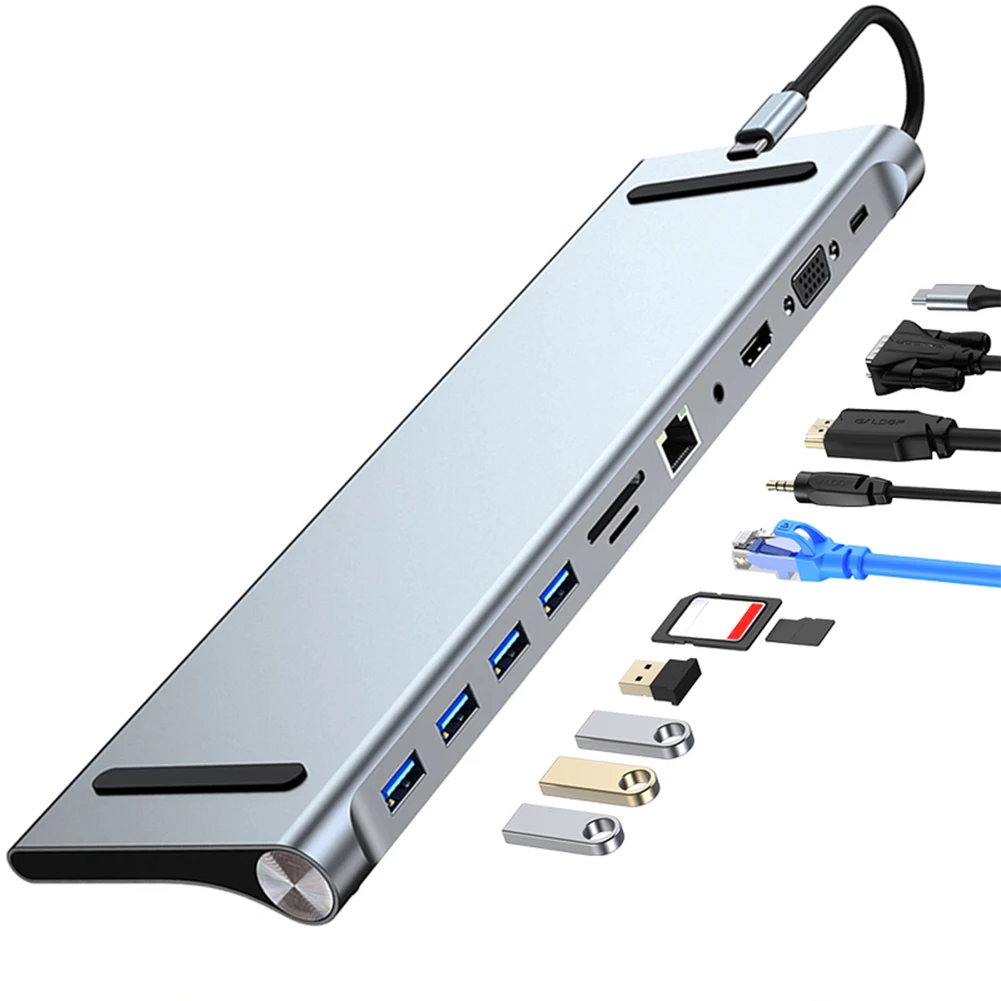
Ports are not accessories. They are infrastructure. Modern laptops arrive with two USB-C ports and a prayer. The Port Authority 11-in-1 USB-C Docking Station restores what laptop manufacturers took away: USB 3.0 for fast data transfer, USB 2.0 for peripherals, HDMI for external displays, SD/TF card slots for photographers, and 100W Power Delivery passthrough to keep your machine charged while everything else stays connected.
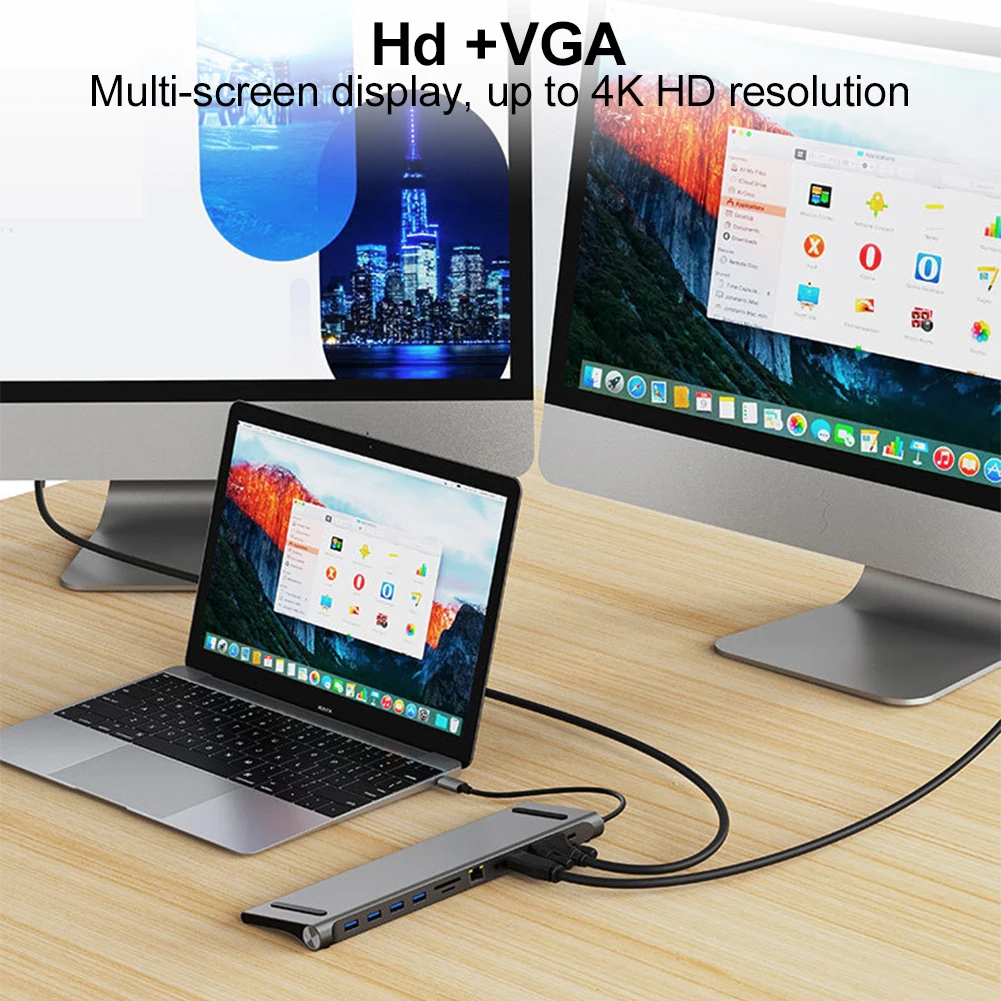
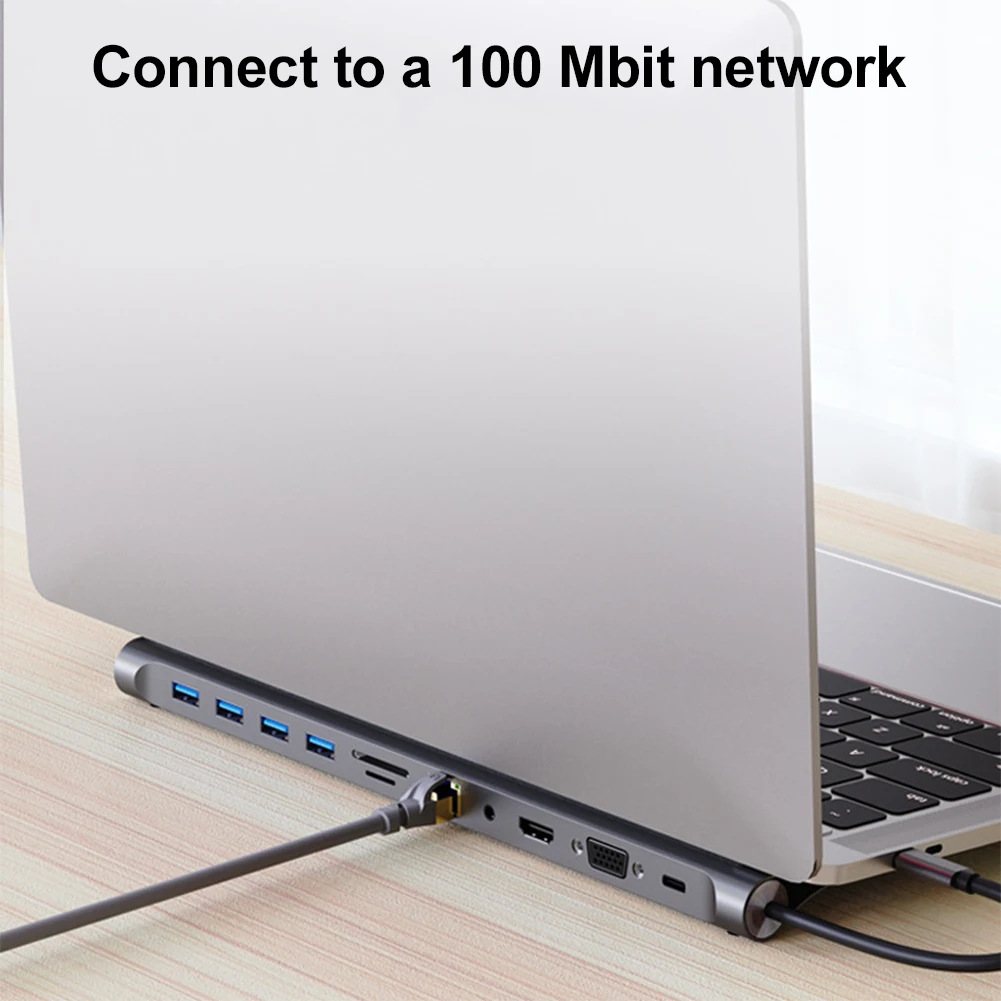
This is not a hub. It is a command center that converts a single USB-C port into an 11-port workstation. Plug in your external monitor, keyboard, mouse, external drive, SD card, and Ethernet adapter simultaneously — and still have ports to spare. The aluminum alloy housing dissipates heat passively, and the compact footprint means it disappears behind your laptop or under your monitor riser. One cable to rule them all.
Your laptop's port count is not a limitation. It is a negotiation — and The Port Authority wins every time.
Key Features
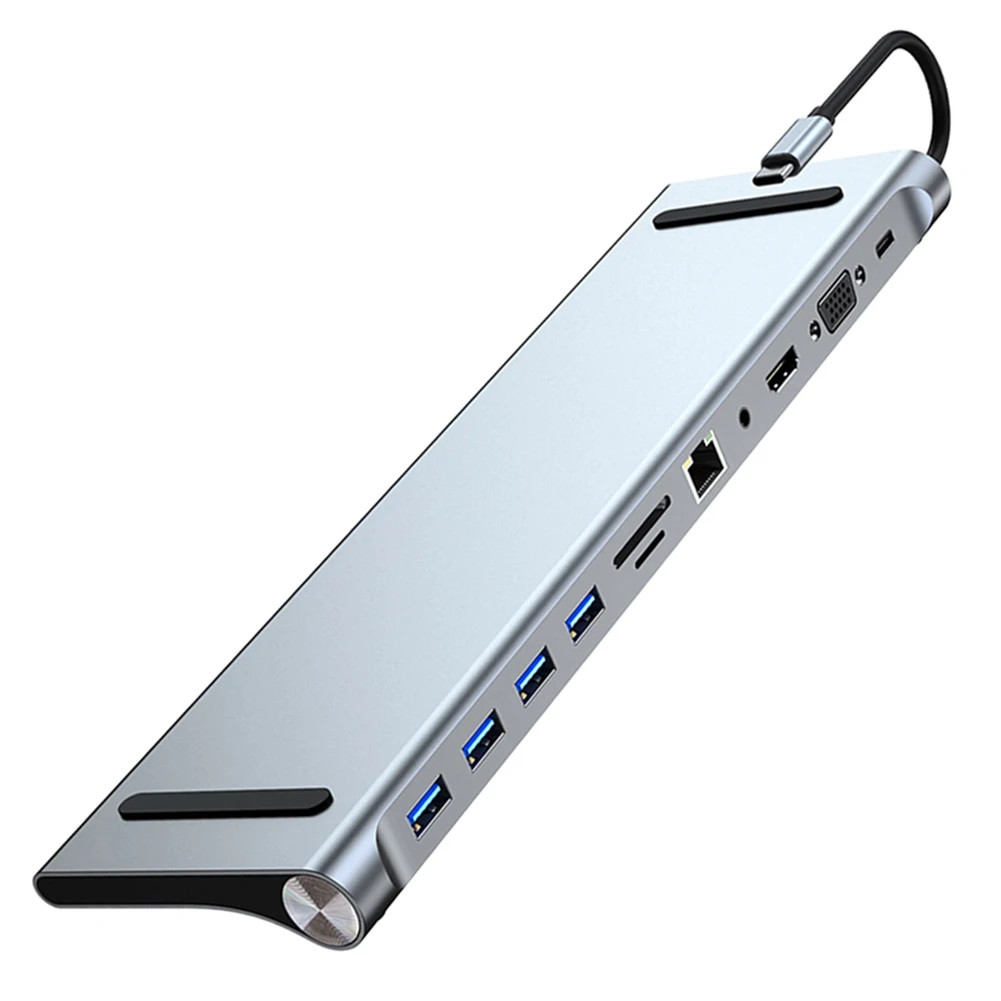
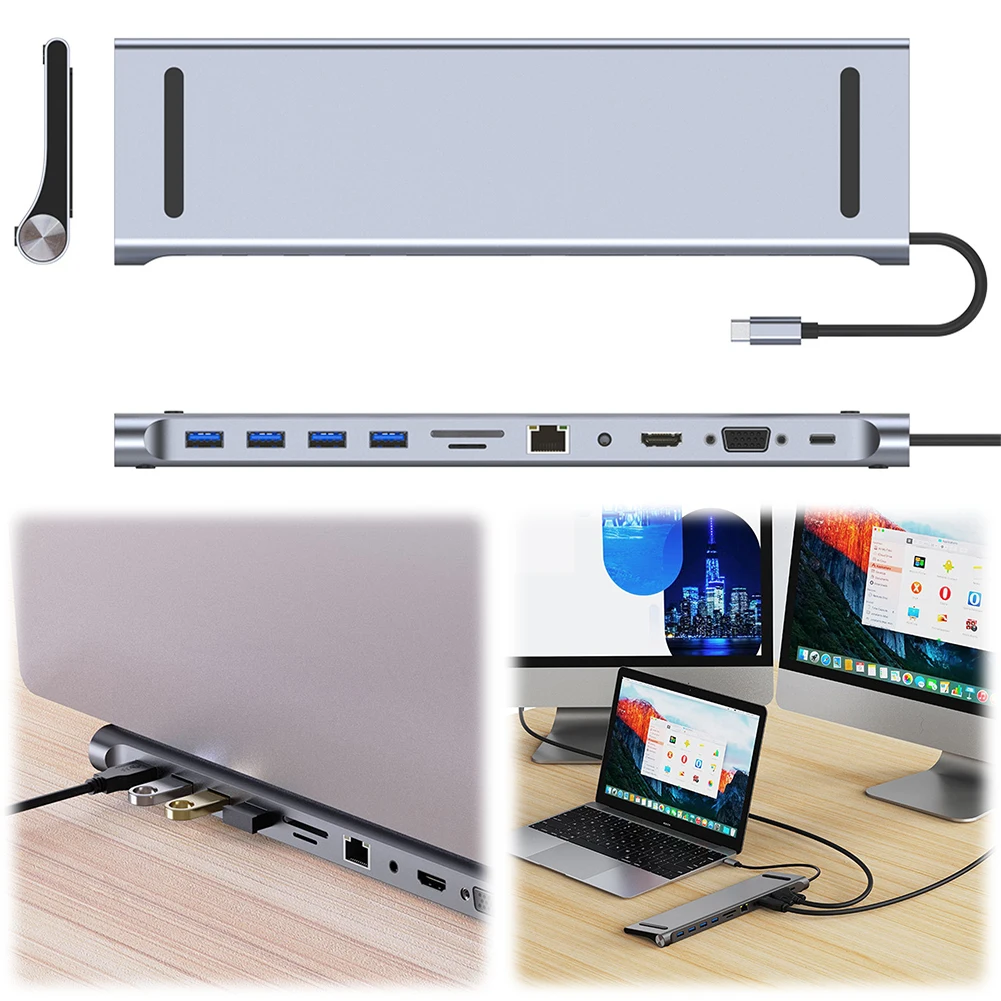
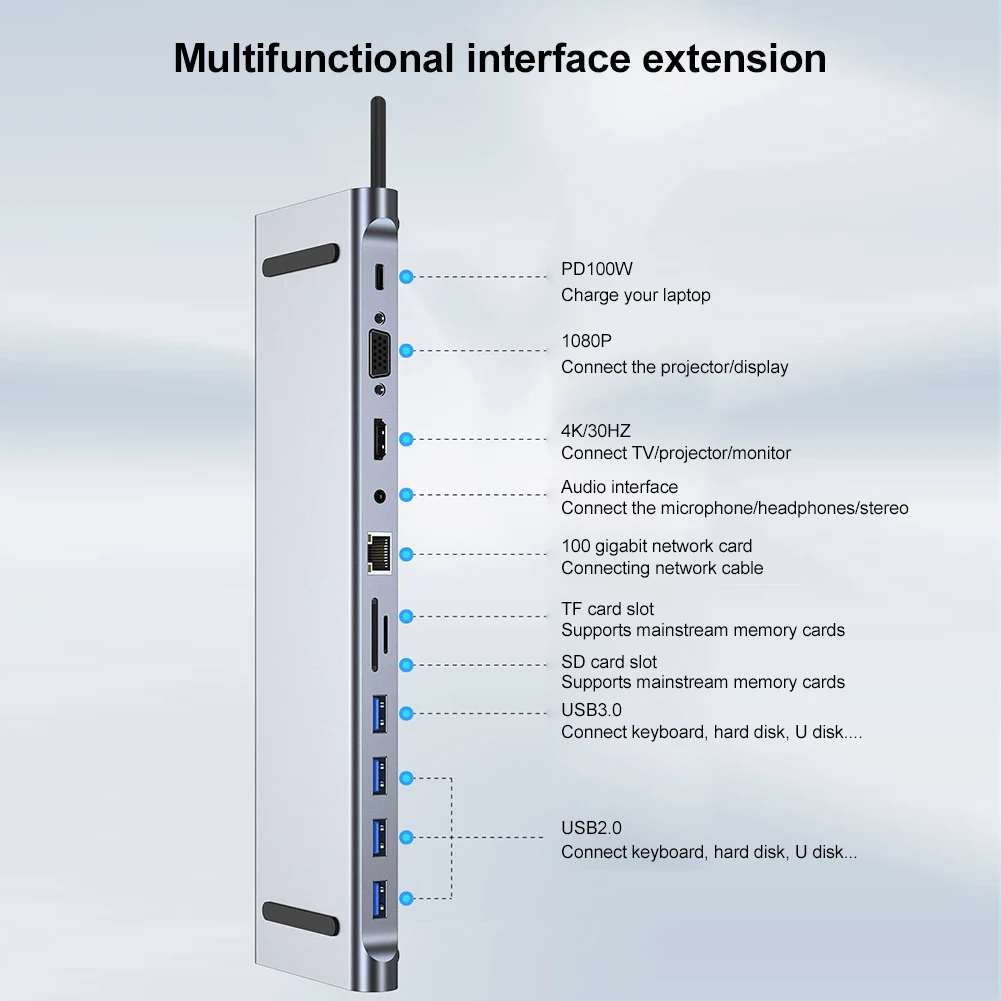
- ✦ 11-in-1 Expansion: 1x USB 3.0, 3x USB 2.0, 1x USB-C PD (100W), 1x HDMI, 1x SD card slot, 1x TF card slot, plus additional ports — full workstation connectivity from a single USB-C connection
- ✦ 100W Power Delivery Passthrough: Charge your laptop at full speed while simultaneously using all ports — no battery drain during heavy workflows
- ✦ 5Gbps USB 3.0 Data Transfer: Move large files between external drives at near-SSD speeds — no more waiting for file transfers
- ✦ Built-in SD/TF Card Reader: Direct photo and video import for photographers and content creators — no separate card reader dongle required
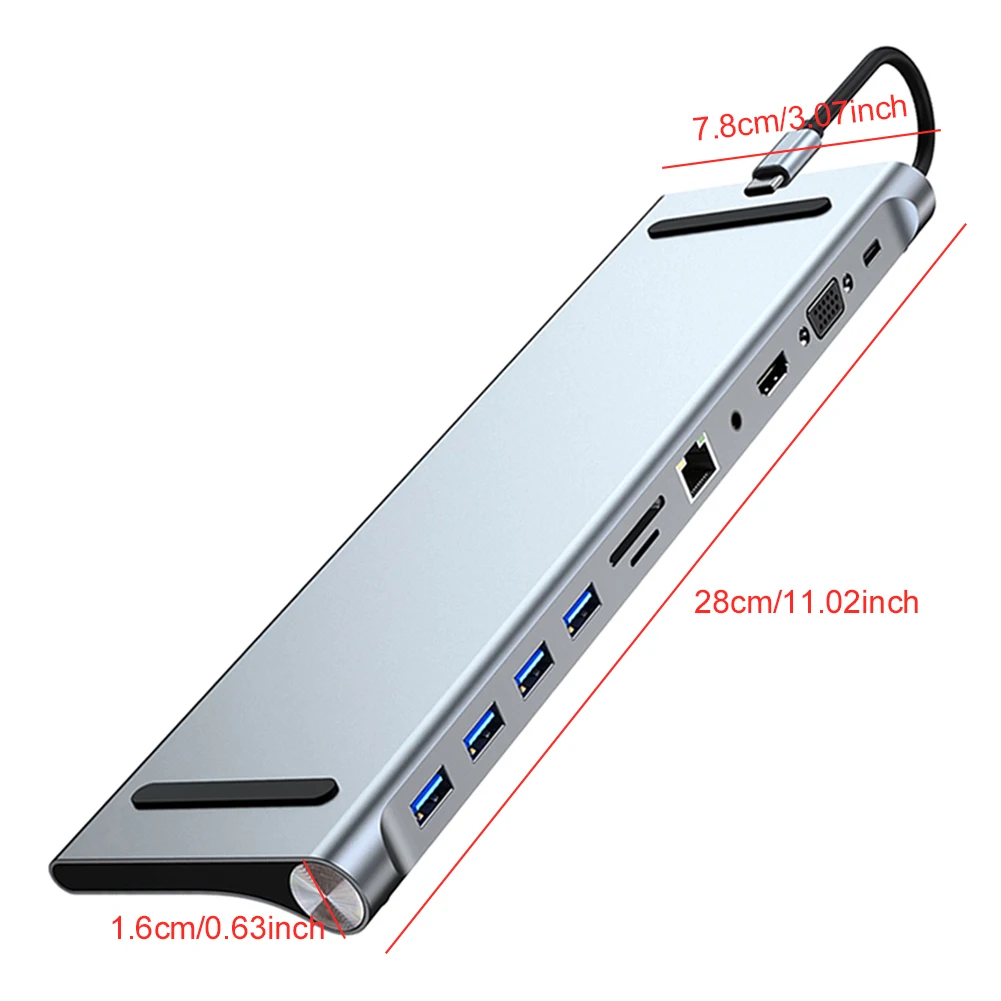
- ✦ Aluminum Alloy Housing: Passive heat dissipation, premium build quality, and a compact profile that travels well
- ✦ Universal Compatibility: Works with MacBook Pro/Air, Dell XPS, Lenovo ThinkPad, HP Spectre, Surface, Chromebooks, and any USB-C equipped device
Technical Specifications
- Ports: 1x USB 3.0 (5Gbps), 3x USB 2.0, 1x USB-C PD (100W), 1x HDMI, 1x SD, 1x TF
- Power Delivery: Up to 100W passthrough charging
- Data Speed: USB 3.0 at 5Gbps
- HDMI Output: External display support (resolution varies by host device)
- Card Reader: SD + TF (Micro SD) simultaneous support
- Housing: Aluminum alloy (passive cooling)
- Compatibility: USB-C devices — MacBook, Dell XPS, Lenovo, HP, Surface, Chromebook
- Connection: Single USB-C upstream (integrated cable or port — see product images)
- Origin: Mainland China
Application Scenarios
The Port Authority is engineered for the modern professional whose laptop is the center of a multi-device workspace. Remote workers connect their monitor, mechanical keyboard, external SSD, and SD card from a camera simultaneously — arriving at the desk means plugging in one cable, not five. Photographers and videographers use the built-in SD/TF reader for instant media import without hunting for a separate dongle. Students with USB-C-only laptops (MacBook Air, Surface Laptop, Chromebook) gain back the ports needed for thumb drives, external mice, and presentation clickers during group projects. The 100W PD passthrough ensures the laptop stays at full charge through even the longest work sessions — no choosing between "charging" and "connected."
Frequently Asked Questions
Q: Will this work with my MacBook Air M2 with only two USB-C ports?
A: Yes. The Port Authority connects via a single USB-C port and provides 11 expansion ports in return. It is fully compatible with Apple M1/M2/M3 MacBook Air and Pro models. The 100W PD passthrough charges your MacBook at full speed while all peripherals remain connected.
Q: Can I use an external monitor through the HDMI port?
A: Yes. The HDMI port supports external display output. Resolution and refresh rate depend on your host device's USB-C capabilities — most modern laptops support 1080p at 60Hz or 4K at 30Hz through this type of docking station. Check your laptop's specifications for its maximum external display resolution over USB-C.
Q: Does the dock get hot during use?
A: The aluminum alloy housing is designed for passive heat dissipation. During normal operation with multiple devices connected, the dock will become warm to the touch but not hot. This is normal and indicates the thermal design is working as intended.
Q: Can I use all 11 ports simultaneously?
A: Yes. The dock is designed for full simultaneous use of all ports. The 100W PD passthrough ensures your laptop receives sufficient power even when every port is populated with power-drawing peripherals.
Q: Does it require driver installation?
A: No. The Port Authority is a plug-and-play device. Most operating systems (macOS, Windows 10/11, ChromeOS, Linux) recognize all ports automatically on connection. No driver downloads, no software installation, no setup required.




Customer Reviews
Payment and Security
Your payment information is processed securely. We do not store credit card details nor have access to your credit card information.